What smart shades are compatible with Google Home?

Read this in a minute
Motionblinds smart blinds and smart shades work with Google Home for hands-free voice control and whole-home automation. There are three connection paths. Eve Motionblinds motors connect directly over Matter and Thread with no bridge. Standard motors with Bluetooth or 433 MHz radio technology connect either through the Motionblinds Matter Wi-Fi Bridge (CM-55) for local Matter control, or — for motors already on a Motionblinds Wi-Fi Bridge without Matter (CMD-01 or CM-20) — through a cloud-to-cloud connection. None of these paths requires replacing your motors.
What's the news?
- Google Home fully supports Matter — the smart home standard that lets Motionblinds connect directly, without proprietary hubs or third-party integrations.
- Motionblinds works with Google Home across three connection paths, covering new installations and existing motor retrofits.
- Eve Motionblinds motors with built-in Thread connect straight to Google Home via a compatible Nest Hub or Google TV Streamer acting as a Thread border router — no bridge required.
- Standard Bluetooth and 433 MHz motors reach Google Home through the CM-55 Matter Wi-Fi Bridge for local Matter control — no motor replacement needed.
- Existing 433 MHz motors already connected to a Motionblinds Wi-Fi Bridge without Matter (CMD-01 or CM-20) connect via a cloud-to-cloud integration — also without replacing hardware.
- Local paths keep working during an internet outage for local control and schedules; Google Assistant voice commands need an active internet connection on every path.
- For the Google Home side of Matter setup, see Google’s official Set up and manage Matter devices guide.
What you need to know
- Identify your motor type first — Eve Motionblinds carry a Matter setup code on the label; standard motors do not.
- For the direct Matter/Thread path you need a Google Thread border router: Nest Hub (2nd gen), Nest Hub Max, Google TV Streamer, or Nest Wifi Pro.
- IPv6 must be enabled on your router for Thread to function — check your router admin panel before starting.
- The CM-55 Matter Wi-Fi Bridge needs a 2.4 GHz Wi-Fi network (5 GHz is not supported during setup), operates locally, and requires no account or registration.
- Existing 433 MHz motors on a CMD-01 or CM-20 Wi-Fi Bridge connect through account linking in the Google Home app for cloud-to-cloud control.
- Matter multi-admin lets you use the same blinds with Google Home and Apple Home simultaneously.
- Give every blind a clear, room-based name in the Google Home app so voice commands work reliably.
Key takeaways
- Motionblinds is compatible with Google Home across three connection paths, so there’s a fit for almost any setup — new or existing.
- Eve Motionblinds runs locally over Thread: no bridge, no cloud dependency for local control, and long battery life.
- Standard 433 MHz motors have two routes to Google Home, both without replacing motors: the CM-55 Matter Wi-Fi Bridge (local Matter) or a CMD-01/CM-20 Wi-Fi Bridge (cloud-to-cloud).
- Once paired and named, blinds respond to Google Assistant voice commands and can join Google Home routines.
Why Google Home users want their blinds included
Google Home is built around convenience and daily habit. Most users interact with it through Google Assistant — by voice, through a Nest speaker, a Google TV Streamer, or a smartphone. They already ask Google to turn off lights, adjust the thermostat, and start routines. Adding smart blinds to that system is a natural next step, not a new behavior.
Matter is the reason Motionblinds integrates cleanly with Google Home today. The protocol was designed for direct, local, cross-platform compatibility, and Google Home supports it fully. For Motionblinds, that means well-defined connection paths into the Google ecosystem — covering new installations, standard motor setups, and homes with hardware already in place.
Google Home also connects Motionblinds to a broader smart home picture. Routines can combine blind movement with thermostats, lighting, cameras, and other devices. A morning routine can raise every blind in the house, adjust the temperature, and turn on lights — all from a single voice command or a scheduled time. That whole-home capability is what makes the Google Home conversation different from a simple voice-control pitch.

How Motionblinds connects — three paths, flexible control
Which path applies depends on the motor type and the installation scenario. Eve Motionblinds motors connect directly over Matter and Thread. Standard motors with Bluetooth or 433 MHz radio technology have two options, both of which keep your existing motors: the CM-55 Matter Wi-Fi Bridge for local Matter control, or a CMD-01/CM-20 Wi-Fi Bridge for a cloud-to-cloud connection. All paths enable Google Home app control and Google Assistant voice commands.
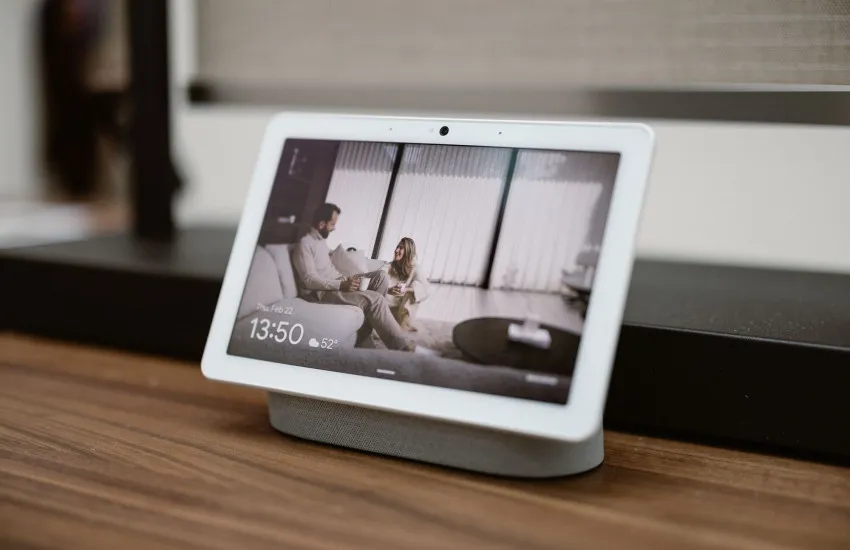
Path 1 — Eve Motionblinds: Matter and Thread, direct local connection
Eve Motionblinds motors have Matter and Thread built directly into the motor, so no Motionblinds bridge is required. To connect, open the Google Home app, choose Add Device, and scan the Matter QR code on the motor — the blind appears in Google Home immediately and can be placed in a room or group.
Google Home communicates with Eve Motionblinds locally over the Thread network. A Thread border router — such as a Google Nest Hub (2nd gen), Nest Hub Max, Google TV Streamer, or Nest Wifi Pro — manages the local mesh and enables remote access when away from home. Because control runs locally over Thread rather than through the cloud, response is fast and local automations and schedules continue during internet outages. Note that Thread is IPv6-based, so IPv6 must be enabled on your router.
Thread also consumes significantly less power than Wi-Fi, extending the battery life of Eve Motionblinds motors between recharges. For new installations building a reliable, low-maintenance smart home, this is the most capable and future-proof of the three paths.

Path 2 — Standard motors via the CM-55 Matter Wi-Fi Bridge (local)
Standard Motionblinds motors using Bluetooth or 433 MHz radio technology connect to Google Home through the Motionblinds Matter Wi-Fi Bridge (CM-55). For a home with standard motors that wants full, local Google Home compatibility, this is the most practical upgrade path — it adds a bridge without replacing any motors.
The CM-55 communicates with motors over 433 MHz radio (up to roughly 30 m range) and exposes them to Google Home as Matter devices over Wi-Fi. It operates locally, so timer schedules and automations remain active even without an internet connection, and no account or registration is required during setup. One CM-55 handles up to 128 blinds, 50 scenes, and 50 timers — more than enough for a full home — and supports Matter multi-admin, so the same blinds can work with Google Home and another platform at the same time.
Set up the CM-55 as follows:
- Power the CM-55 (5V DC, up to 1.5 A via USB). The LED cycles through colors; blue indicates setup mode is active.
- Download the Motionblinds Matter Bridge app and scan the QR code on the bottom of the CM-55.
- Follow the in-app prompts to connect the bridge to your 2.4 GHz Wi-Fi network.
- Add your blinds to the bridge by scanning each motor’s setup code within the app.
- Generate a Matter pairing code: tap the three-dot menu (⋮) → Settings → select the bridge → Matter → “Request pairing code.” Keep this screen open for the next step.
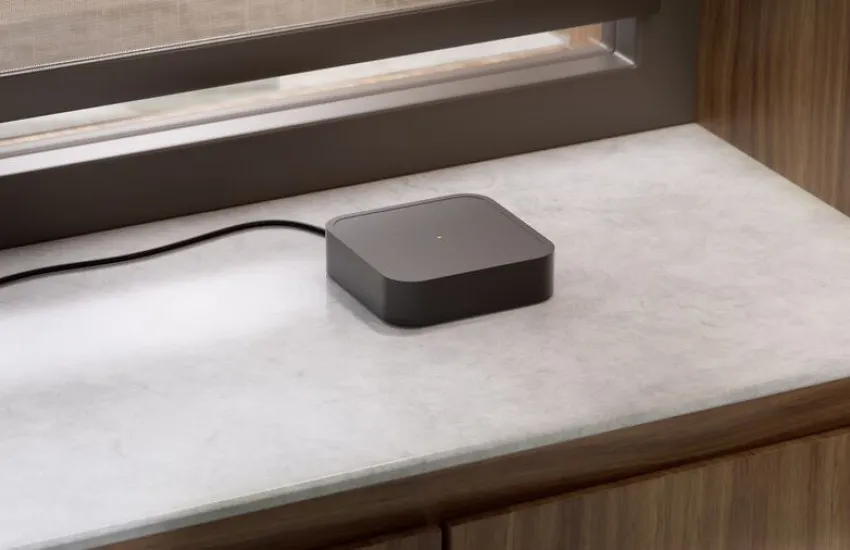
Path 3 — Existing motors via CMD-01 or CM-20: cloud-to-cloud
For homes with 433 MHz motors already connected to a Motionblinds Wi-Fi Bridge without Matter support — the CMD-01 or CM-20 — Google Home control is available through a cloud-to-cloud integration, again without any hardware changes. Open the Google Home app, search for Motionblinds, and sign in using the same Motionblinds account you use in the Motionblinds app; your existing motors appear in Google Home automatically.
This path runs through a secure cloud connection rather than locally, so it requires an active internet connection to operate. Control through the Google Home app and Google Assistant works the same way as on the other paths, and local automations set within the Motionblinds app continue to run independently.
Verify your network is ready
A couple of network requirements trip people up before they even open the Google Home app.
Thread / IPv6 (Matter/Thread path only): Thread is IPv6-based, and Motionblinds’ documentation is explicit that IPv6 must be enabled on your router. Thread border routers use IPv6 to let devices operate within the Thread mesh. Confirm IPv6 is active in your router admin panel before you start.
2.4 GHz Wi-Fi (CM-55 path): The CM-55 bridge connects only to 2.4 GHz networks. During setup your smartphone needs to be on the same 2.4 GHz network too. Once pairing is complete, you can re-enable 5 GHz.

Add your blinds to Google Home
Open the Google Home app and tap the “+” icon to add a device. Select “Matter-enabled device” when prompted, then enter the numerical pairing code from the Motionblinds app (or scan the QR code). Google Home discovers the blinds, pulls in each one, and asks you to assign them to rooms — take the time to do this properly, because room assignment determines how voice routing works. After pairing, all your Motionblinds products appear automatically; there is no manual device-by-device adding.

What Google Home and Google Assistant can control
Across all three connection paths, the control experience is consistent. Good device names make voice control reliable — instead of the default “Blind 1,” rename each blind to something like “Living Room Blinds” or “Bedroom Shade.” Then try:
- “Hey Google, open the living room blinds.”
- “Hey Google, close all the blinds.”
- “Hey Google, set the bedroom blind to 50 percent.”
- “Hey Google, turn on Morning” (to trigger a scene or routine).
The percentage command is worth testing specifically — it confirms Google Home is talking to the motor correctly, not just triggering an open/close toggle.
Google Home routines bring Motionblinds into broader whole-home automations. A “Good Morning” routine can raise every blind, turn on lights, and adjust the thermostat — triggered by a schedule, a sunrise time, or a voice command. A “Leaving Home” routine can close all blinds, turn off lights, and lock the door at once. Google Home also supports sensor-triggered automations: blinds can close automatically when a temperature sensor detects peak heat, reducing solar heat gain and cooling use, or open when a presence sensor detects someone entering a room.
Troubleshooting checklist
Bridge won’t pair to Wi-Fi:
- Confirm your phone and the CM-55 are both on 2.4 GHz during setup.
- Double-check the Wi-Fi password (the most common failure).
- Temporarily disable 5 GHz on your router.
Blinds appear in Google Home but don’t respond:
- Check motor battery level first (the most overlooked step).
- Reduce the distance between the CM-55 and the motors (rated ~30 m, but walls and metal frames reduce this).
- Restart the bridge by unplugging and replugging.
Thread range is weak (Matter/Thread path):
- Add always-on Thread devices (a plugged-in smart speaker or Thread-capable device) to extend the mesh coverage.
IPv6 not enabled:
- Log into your router admin interface (usually under “Advanced” or “Internet”), enable IPv6, and reboot.
Choosing the right path
For new installations, Eve Motionblinds is the strongest choice — Thread delivers the fastest local response, the longest battery life, and the cleanest integration, with no bridge hardware required beyond a compatible Google hub already present in many Google Home setups.
For standard motors that need full, local Google Home compatibility, the CM-55 Matter Wi-Fi Bridge is the most practical upgrade path: setup is quick, the bridge operates locally, and no motors are replaced.
For 433 MHz motors already connected to a Motionblinds Wi-Fi Bridge without Matter (CMD-01 or CM-20), the cloud-to-cloud path adds Google Home control with no extra hardware at all — a practical retrofit option for existing installations.

Frequently Asked Questions - What smart shades are compatible with Google Home?
Yes. Motionblinds smart blinds and smart shades are compatible with Google Home across three connection paths: Matter and Thread via Eve Motionblinds, the CM-55 Matter Wi-Fi Bridge for standard Bluetooth/433 MHz motors, and cloud-to-cloud via a CMD-01 or CM-20 Wi-Fi Bridge.
Eve Motionblinds motors do not need a Motionblinds bridge, but do need a Thread border router such as a Nest Hub (2nd gen), Nest Hub Max, Google TV Streamer, or Nest Wifi Pro. Standard Bluetooth or 433 MHz motors connect through the CM-55 Matter Wi-Fi Bridge, or — if already on a CMD-01/CM-20 Wi-Fi Bridge — via cloud-to-cloud. No path requires replacing your motors.
Eve Motionblinds: open Google Home, choose Add Device, and scan the Matter QR code on the motor. Standard motors via CM-55: configure motors in the Motionblinds app, then add to Google Home using the Matter pairing code from the app. Existing motors on CMD-01 or CM-20: open Google Home, search for Motionblinds, and sign in with your Motionblinds account.
Yes, without replacing motors. Existing 433 MHz motors on a CMD-01 or CM-20 Wi-Fi Bridge connect via cloud-to-cloud with no additional hardware. Motors without a bridge, or that need local Matter control, can use the CM-55 Matter Wi-Fi Bridge.
Yes. Google Assistant supports commands such as “Hey Google, open the blinds,” “close the blinds,” and “set the blinds to 50 percent.” Blinds can be controlled individually, by room, or as part of a scene or routine.
Yes. Google Home supports sunrise and sunset automations, time-based schedules, and sensor-triggered routines. Motionblinds can be included in any routine alongside other connected devices.
Eve Motionblinds and the CM-55 Matter Wi-Fi Bridge both run locally, so timer schedules and local automations continue during outages. The cloud-to-cloud path via CMD-01 or CM-20 requires an active internet connection. Google Assistant voice commands require internet on every path.
Yes. Motionblinds Matter bridges support multi-admin. For each additional platform, open the Motionblinds Matter Bridge app and request a new pairing code; the bridge works with all of them simultaneously.
No. Bluetooth is only required during the pairing process. Once the bridge is set up, your phone communicates with the blinds over Wi-Fi/Matter.
Up to 128 blinds, 50 scenes, and 50 timers. The bridge has a rated 433 MHz range of about 30 m, so in large homes or those with thick walls, position it centrally or add a second unit for distant rooms.
Google Home is the app and platform used to set up, group, and automate devices. Google Assistant is the voice interface. Both work together — blinds set up in Google Home are immediately available for Google Assistant voice control.
Related blogposts