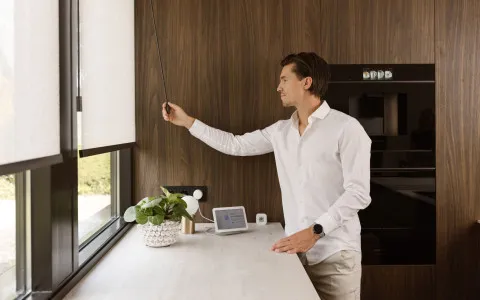
Can outdoor shading join a smart home?
One ecosystem for (ZIP) screens, awnings, and indoor blinds

The short answer
Yes. Motionblinds outdoor motors for (ZIP) screens and awnings run on the same platform and app as Motionblinds indoor motors. Adding the Motionblinds Bridge brings indoor and outdoor shading into Apple Home, Google Home, Amazon Alexa, and SmartThings through Matter, so both can share rooms, scenes, and automations with other smart devices.
At a glance
-
Outdoor shading no longer has to be a separate, remote-controlled system. It can run in the same smart home as indoor blinds, lighting, and heating.
-
Motionblinds outdoor motors use the same app and platform as Motionblinds indoor motors.
-
The Motionblinds Bridge connects indoor and outdoor shading to Apple Home, Google Home, Amazon Alexa, and SmartThings through Matter.
What you need to know
-
Every Motionblinds outdoor motor is set up in the Motionblinds app over Bluetooth, the entry-level solution, with no remote or hub needed.
-
The Motionblinds Bridge, the connected solution, adds remote access, rooms, scenes, and Matter integration.
-
Indoor and outdoor Motionblinds products can share the same rooms, scenes, and automations.
-
Once connected, shading can trigger automations with other smart devices on the same platform.
-
Safety features work on their own, independent of any smart home connection.
-
Awning motors with integrated LED bring outdoor lighting into the same app as shading.
Who this guide is for
This guide is for dealers and installers selling outdoor shading into smart homes, and for homeowners who want their outdoor screens and awnings to work together with the rest of the house.
You will learn how outdoor shading fits into a smart home, what it can do once connected, and how to plan an outdoor project so indoor and outdoor shading run as one system.
Why outdoor shading belongs in the smart home
Smart homes have moved well beyond lighting and locks. Heating, garden watering, garage doors, outdoor lighting, and weather sensors are increasingly managed from the same platform. Outdoor shading belongs in that picture, especially on terraces, patios, and facades used throughout the year.
It also plays a bigger role than most smart devices. Outdoor shading blocks solar heat before it reaches the glass, which makes it one of the most effective ways to keep a home cool. Connected to a smart home, it can do that automatically, based on time, temperature, or routine.
Homeowners tend to judge smart home additions on three things: comfort, energy efficiency, and safety. Outdoor shading contributes to all three, but only when it is part of the same system as everything else.
One ecosystem, indoors and out
The simplest smart home is one where every blind runs in the same app. Motionblinds outdoor motors are built on the same platform as Motionblinds indoor motors, so screens, awnings, roller blinds, and curtains are set up and controlled in one Motionblinds app.
The Motionblinds Bridge extends that one ecosystem into the wider smart home. Indoor and outdoor shading appear together in Apple Home, Google Home, Amazon Alexa, and SmartThings, ready to be grouped in rooms and combined in scenes with lighting, heating, and other connected devices.
For homeowners who already use Motionblinds indoors, outdoor shading simply joins the system they already have, with no separate app and no separate remote.
What connected outdoor shading can do
On a hot morning, sunlight starts to raise the indoor temperature. Screens on the sunny side close automatically, together with the indoor blinds behind them, keeping the home cool before the cooling system has to work.
On a summer evening, one scene extends the awning and switches on the LED lighting in its arms. Shade by day, light by night, from the same app.
When the household is away, shading can be controlled remotely, or follow a schedule that makes the home look lived in.
When wind picks up, the awning protects itself. The vibration sensor, installed out of sight in the hardware, retracts the awning automatically, whether or not anyone is home and whichever platform is in control.
Comfort, energy efficiency, and safety
Comfort comes from shading that responds without effort: less glare on screens and workspaces, cooler rooms, and terraces ready to use when they are needed.
Energy efficiency comes from blocking heat at the window instead of cooling it away afterward. Automations make sure shading closes when it matters, not only when someone remembers.
Safety is built into the motors. Screen motors stop automatically when the screen meets an obstacle. Awnings retract automatically in wind with the vibration sensor, and battery awnings close automatically when the battery is nearly empty. Safety mode can be locked and unlocked in the app.
What it means on the job
For dealers, smart home compatibility becomes a simple promise: one app for every blind, indoor and outdoor, and one Bridge for every major smart home platform.
For installers, every motor is set up in about a minute in the Motionblinds app, without the homeowner present. Adding the Bridge connects the whole installation to the homeowner's smart home platform in one step.
For fabricators, the same outdoor motors serve both Bluetooth-only and fully connected installations, so nothing changes in production.
Planning a smart outdoor project
Start with the household's smart home platform. If Apple Home, Google Home, Amazon Alexa, or SmartThings is already in use, include the Motionblinds Bridge in the outdoor project from the start.
Next, think in scenes, not single products. Plan which screens, awnings, indoor blinds, and lighting should work together, for example on the sunny side of the house or around the terrace.
Finally, match each product to its exposure. Awnings exposed to wind should include the vibration sensor, and awnings used in the evening suit the wired motor with integrated LED control.
Frequently asked questions - Can outdoor shading join a smart home?
Yes. Motionblinds outdoor motors for (ZIP) screens and awnings connect to the Motionblinds app over Bluetooth. The Motionblinds Bridge brings them into Apple Home, Google Home, Amazon Alexa, and SmartThings through Matter.
Yes. Motionblinds outdoor and indoor motors run on the same platform and app. Through the Motionblinds Bridge, they share rooms, scenes, and automations.
Yes. Once connected through the Motionblinds Bridge, outdoor screens and awnings can be included in scenes and automations with other smart devices on the same platform, such as lighting and temperature sensors.
Yes. Through a smart home platform, screens can close automatically as sunlight raises the indoor temperature, together with indoor blinds.
No. Motionblinds outdoor motors connect directly to the phone over Bluetooth for local control. The Motionblinds Bridge connects to the home network for remote access and smart home platforms.
No. Obstacle detection on screens and wind retraction on awnings work independently of any smart home platform.
No. Bluetooth app control alone covers setup, daily control, and timers. The Motionblinds Bridge adds remote access, scenes, voice control, and automations with other devices.
Yes. Awning motors with integrated LED control the lighting in the awning arms from the Motionblinds app, alongside shading.
Disclaimer
This article reflects information available at the time of publishing. Product specifications, platform integrations, and third-party features are subject to change. Contact your Motionblinds sales representative for current details.
Related blogposts